AKS and Cloudflare
In this article, I will explain how we can route the incoming traffic to AKS Pods using Cloudflare. There are several options to route incoming traffic to AKS pods (nginx ingress, application gateway etc.) Cloudflare allows ingress to the pods by exposing the private resources without having to use a direct public IP.
In this setup, I have exposed the AKS pod traffic using a cloudflared connector and passing the required rules in the connector configuration.
My traffic flow is : Internet → cloudflare →AKS Cluster IP service → AKS application pods
Press enter or click to view image in full size
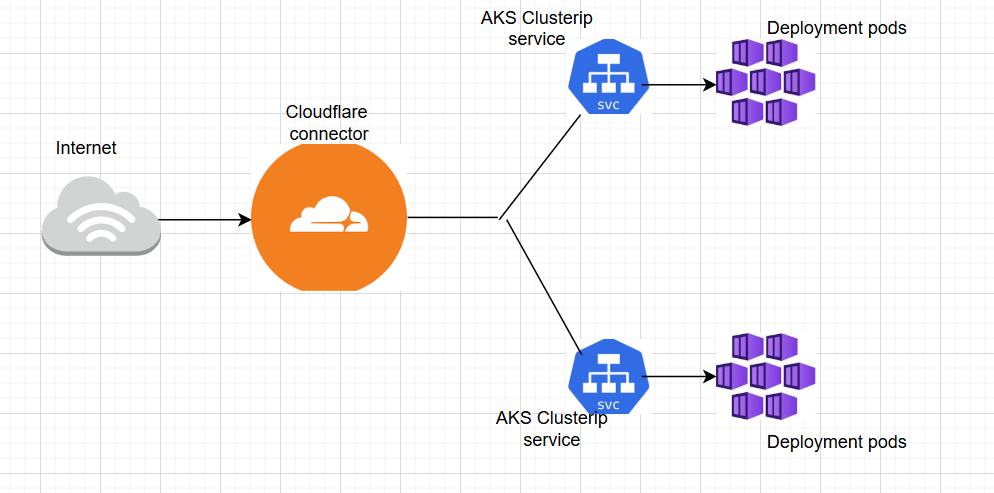
I have seen few articles where an ingress controller is used in this flow with cloudflare, however I don’t see a strong reason to use a nginx ingress controller in the flow because that does the same job as the cloudflare, but nginx also adds another public ip address to the flow which we want to avoid.
Prerequisites:
Cloudflare Account with DNS , Tunnel in Cloudflare, AKS Cluster.
Setting up the Cloudflare side:
My domain is hosted in godaddy, I have done a delegation to manage my domain from cloudflare.
How to delegate:
From cloudflare portal, click on Add and choose “Existing domain”
Enter the domain name and choose a plan (i.e free)
Click on “continue to activation”
In the next page get the cloudflare name servers and update this nameservers in the “NameServers” of the domain hosted in godaddy. AFter completing this, you will be able to manage domains from cloudflare.
My setup explained:
In my setup, I am using two different kubernetes deployment manifests each hosting different nginx applications. I will be using two url’s pointing to these two different application pods which can be accessed from internet. The two public url’s will be routing traffic to the applications pods using a cloudflared tunnel which is basically a cloudflared connector which is again a pod hosted in the AKS cluster.
The traffic from Internet will be sent to cloudflare hosted as AKS pod and the cloudflare connector/pod will send the traffic to the Private ClusterIPservice based on the ingress rules defined in the cloudflare pod configuration/ingress rules and the ClusterIPservice will send the traffic to the application pods as per the matchlabels.
Traffic flow : Internet → cloudflared →AKS Cluster IP service → AKS pods
AKS Cluster: I am using a basic AKS cluster with default nodepool, “bring your own vnet”, Azure cni overlay. The nodepools are assigned a different range, Pods get the IP range predefined by Azure.
AKS Deployments consists of:-
Application deployment manifests
ClusterIP deployment manifests
Cloudflared deployment manifest
Now let us jump on to the practicals
first things first: —
on the cloudflare side, we need to create a tunnel
Press enter or click to view image in full size
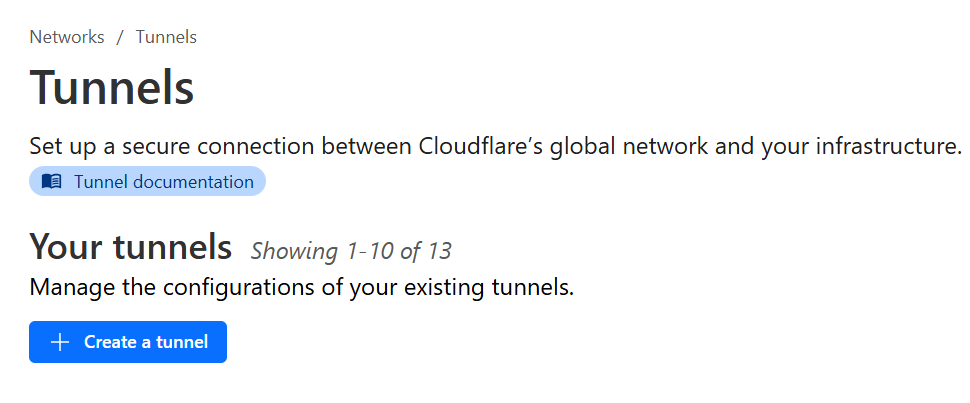
→Choose cloudflared as tunnel type → give a name to the tunnel→savetunnel →Copy the token from next page (This will be used in cloudflared connector pod)
Once tunnel is created, we need to create C Names to point our application URL’s to the tunnel. For example, to host two different applications behind two url’s (app3.example.com, app4.example.com — where example.com is my primary domain) am creating two cname records pointing to the tunnel. The target for cname would be “tunnelid.cfargotunnel.com”. The tunnel id can be taken from tunnel.
Press enter or click to view image in full size

Cloudflare portion is done..
Lets jump on to the AKS side.
Am creating two different applications using two public docker images, two cluster ip services routing traffic to each application separately and another deployment for cloudflared connector
Application manifests:
one with nginx and another with nginxdemos/hello image
#app1

apiVersion: apps/v1
kind: Deployment
metadata:
  name: nginxd2s
spec:
  replicas: 2
  selector:
    matchLabels:
      app: nginxd2s
  template:
    metadata:
      labels:
        app: nginxd2s
    spec:
      containers:
      - name: ngin
        image: nginx
#app2

apiVersion: apps/v1
kind: Deployment
metadata:
  name: nginxd3s
spec:
  replicas: 2
  selector:
    matchLabels:
      app: nginxd3s
  template:
    metadata:
      labels:
        app: nginxd3s
    spec:
      containers:
      - name: ngin
        image: nginxdemos/hello
Clusterip manifests:
1st cluster ip routing traffic to the 1st deployment using selector
2nd cluster ip routing traffic to 2nd deployment using selector
#clusterip1
apiVersion: v1
kind: Service
metadata:
  name: nginx-lb
spec:
#   type: LoadBalancer # ClusterIp, # NodePort
  selector:
    app: nginxd2s
  ports:
    - name: http
      port: 80 # Service Port
      targetPort: 80 # Container Port
#clusterip2
apiVersion: v1
kind: Service
metadata:
  name: nginx-lb2
spec:
#   type: LoadBalancer # ClusterIp, # NodePort
  selector:
    app: nginxd3s
  ports:
    - name: http
      port: 80 # Service Port
      targetPort: 80 # Container Port
When the above four manifests are deployed, we will have two different deployments (4 pods) and two clusterip services — all private.
Now comes the main pod which is the cloudflared connector pod. To create this pod, I have used the below manifest. cloudflared gives option to pass the ingress rules as part of an ingress configuration. We have used two urls to host two applications, the rules needs to be defined in the ingress of the cloudflared pod. i.e app3.example.com will route traffic to clusterip service1 (http://nginx-lb:80) and app4.example.com will route traffic to clusterip service2(http://nginx-lb2:80).
Cloudflared manifest:
option1: Passing the ingress rules inside the manifest directly
Note: the token needs to be passed correctly and routing rules needs to be defined at beginning, I faced several issues with routing rules and recreating tunnel fixes the issue when we want to add new rule. Also the service: http_status:404 is required, otherwise the connector fails.
---
apiVersion: apps/v1
kind: Deployment
metadata:
  name: cfd20
spec:
  replicas: 1
  selector:
    matchLabels:
      app: cfd20
  template:
    metadata:
      labels:
        app: cfd20
    spec:
      containers:
      - name: cloudflared
        image: cloudflare/cloudflared:latest
        args:
        - tunnel
        - --config
        - /etc/cloudflared/config/config.yaml
        - run
        env:
        - name: TUNNEL_TOKEN
          value: "tobepassed as secret"
        volumeMounts:
        - name: config
          mountPath: /etc/cloudflared/config
          readOnly: true
      volumes:
      - name: config
        configMap:
          name: cloudflared
          items:
          - key: config.yaml
            path: config.yaml
---
apiVersion: v1
kind: ConfigMap
metadata:
  name: cloudflared
data:
  config.yaml: |
    tunnel: version2
    credentials-file: /etc/cloudflared/creds/credentials.json
    metrics: 0.0.0.0:2000
    no-autoupdate: true
    ingress:
      - hostname: app3.alwayslearn.in
        service: http://nginx-lb2:80
      - hostname: app4.alwayslearn.in
        service: http://nginx-lb:80
      - service: http_status:404
Once the above pod is deployed, the tunnel status on the cloudflared side becomes healthy.
Press enter or click to view image in full size
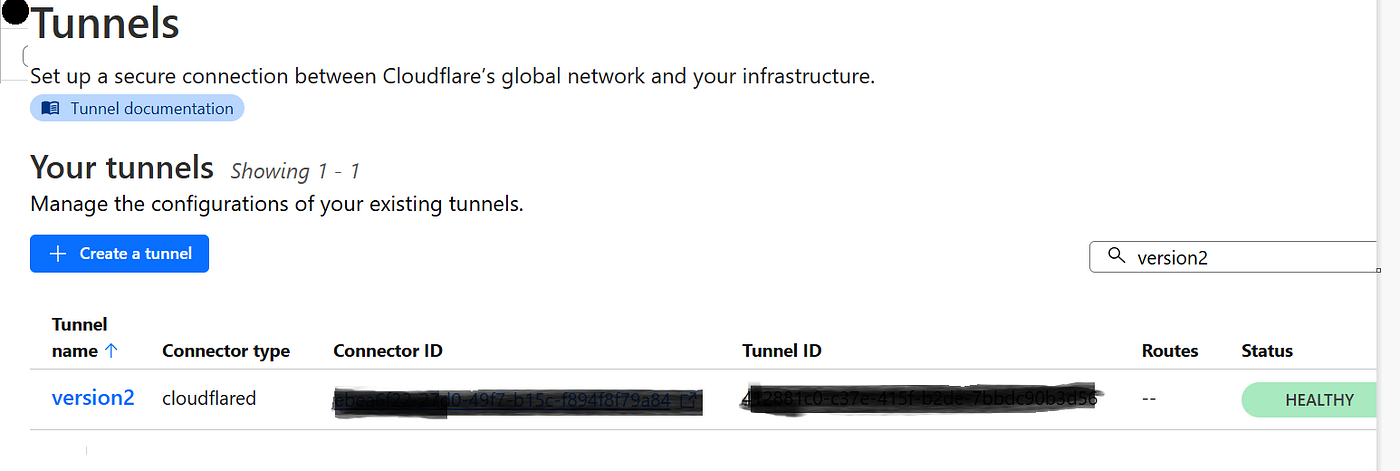
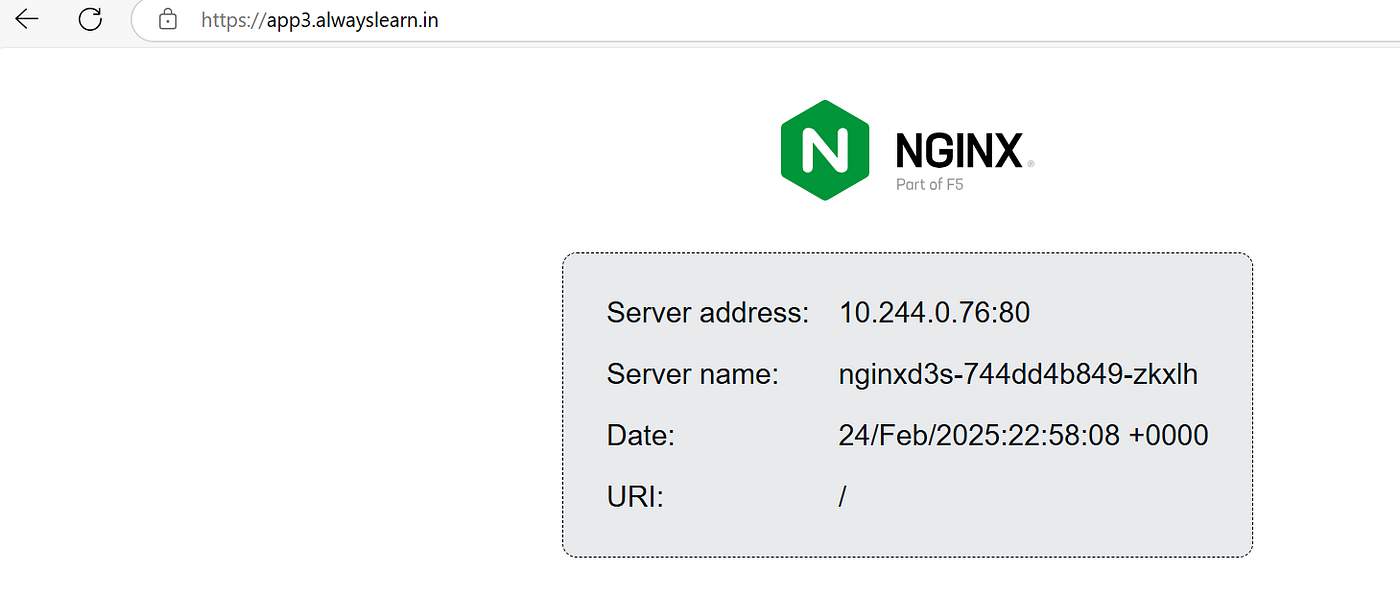
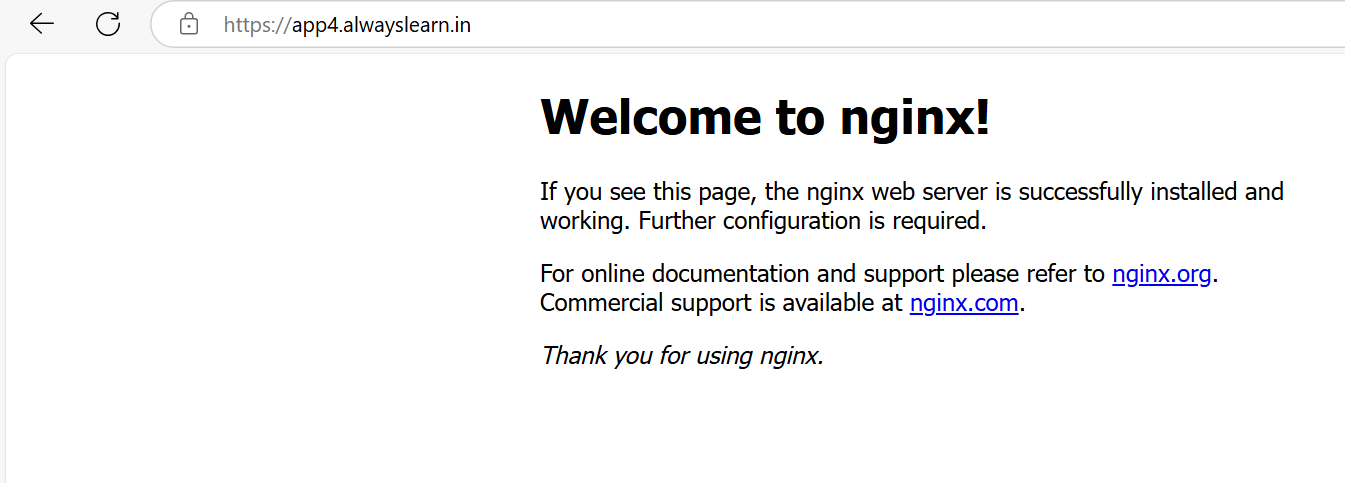
The Application works as expected.
When app3.alwayslearn.in is accessed, this is what happens:-
As per the cname record in DNS , the traffic is routed to cloudflared connector/tunnel and the ingress rules in the connector sends the traffic to the clusterip service and the clusterip service within AKS sends the traffic to pod
Press enter or click to view image in full size
Press enter or click to view image in full size
Option2: Create the rules inside the cloudflared instead of passing it in the cloudflared manifest
apiVersion: apps/v1
kind: Deployment
metadata:
  name: cfd18
spec:
  replicas: 1
  selector:
    matchLabels:
      app: cfd18
  template:
    metadata:
      labels:
        app: cfd18
    spec:
      containers:
      - name: cloudflared
        image: cloudflare/cloudflared:latest
        args:
        - tunnel
        - run
        env:
        - name: TUNNEL_TOKEN
          value: "pass it securely"
        - name: TUNNEL_NAME
          value: feb25
        - name: CREDENTIALS_FILE_PATH
          value: /etc/cloudflared/creds/credentials.json
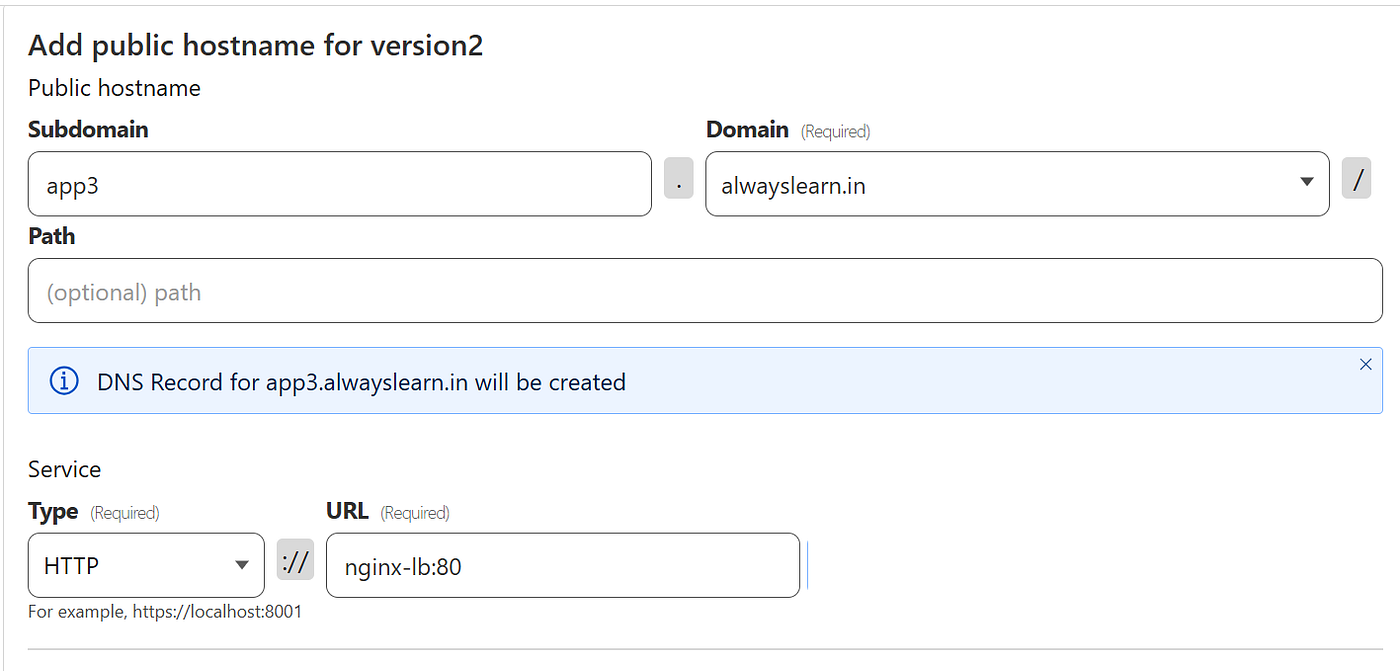
In option2, after creation of the connector, rules needs to be defined inside the tunnel from cloudflared: Open the tunnel → edit → public hostnames and pass the values. This will automatically create required DNS records which we did in previous steps.
Press enter or click to view image in full size